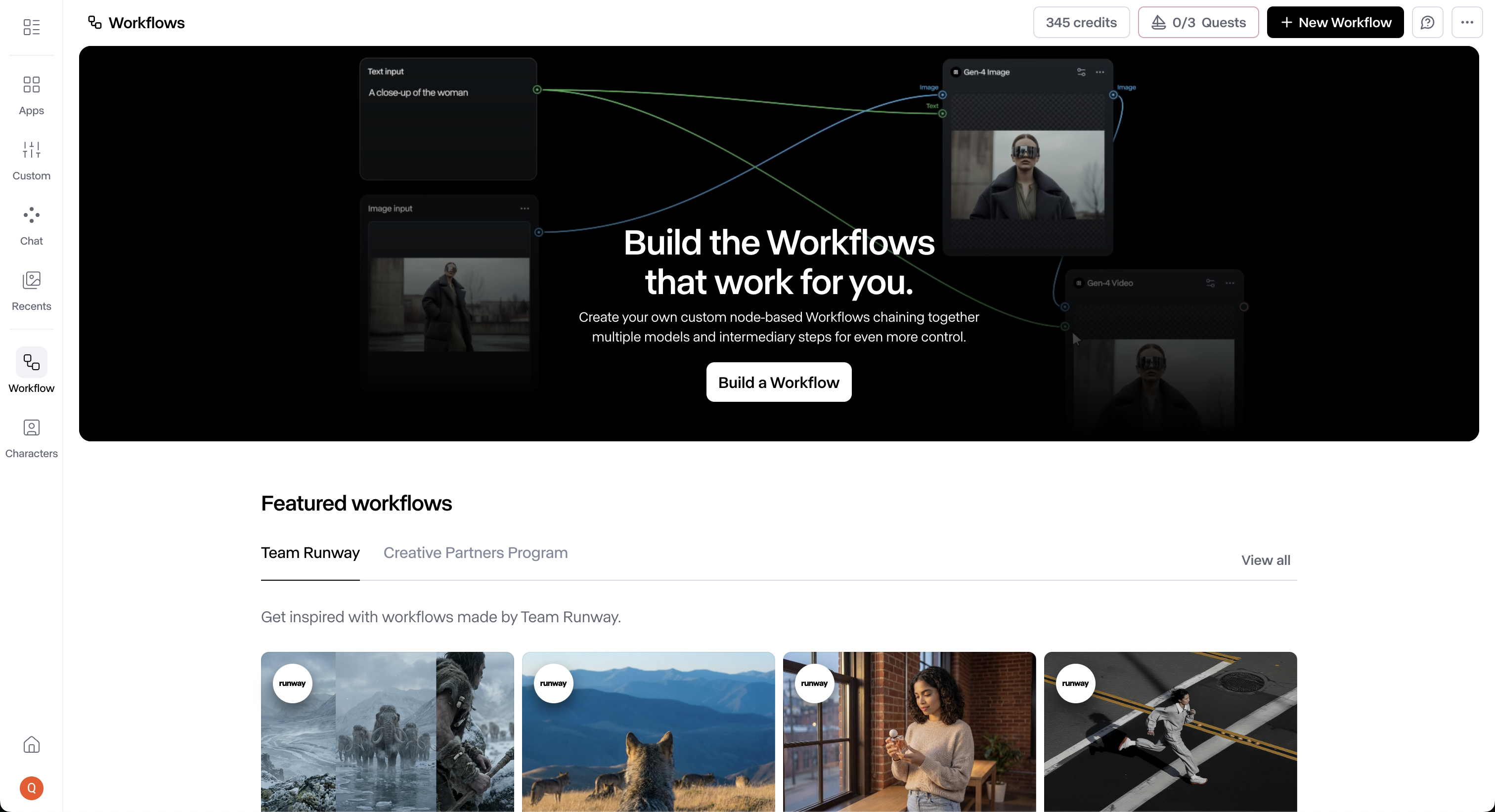
A CLOSE READ OF RUNWAY.

Audit TypeProduct Experience
ScopeWorkflows product walkthrough
DeliverablesStrategic audit + audio walkthrough
Runway website
The Brief

I went deep on Runway because I’m genuinely excited about what creatives can do with AI right now, and Runway is building at the frontier of it. I spent a couple of hours inside Workflows, one of the latest things the team shipped. I came away with some good, some bad. Mostly good, because I think it’s really cool. Here’s the close read.

The walkthrough

Let me show you what I mean.

The canvas

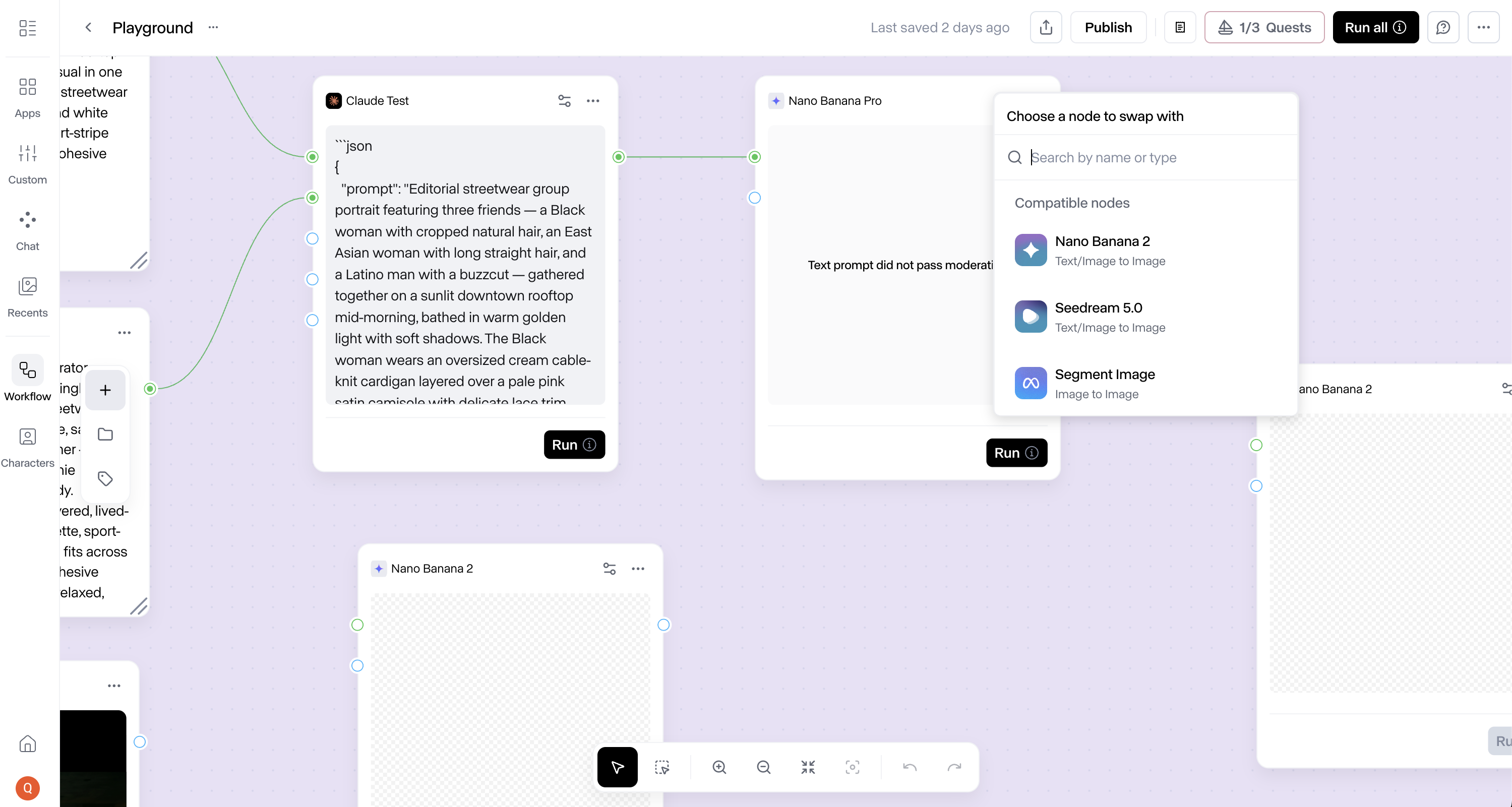
Swap became the move I reached for.

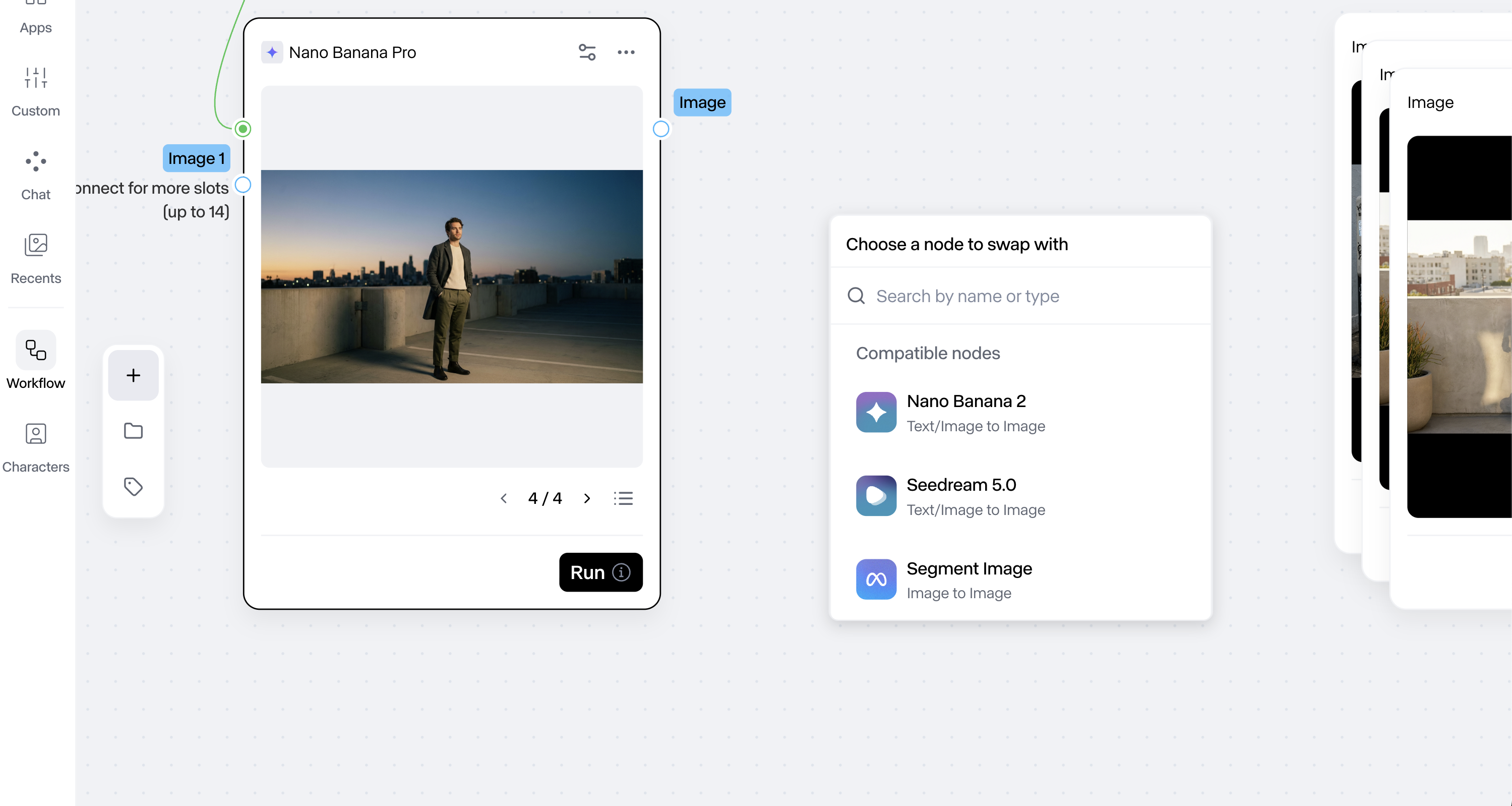
Swap-node is the button I clicked most. Pull the failing node, drop in a different one, keep the rest of the graph wired. Every candidate in the compatible-nodes list carries a short helpful description. That part is great. I used swap constantly while I was figuring out what each node did.

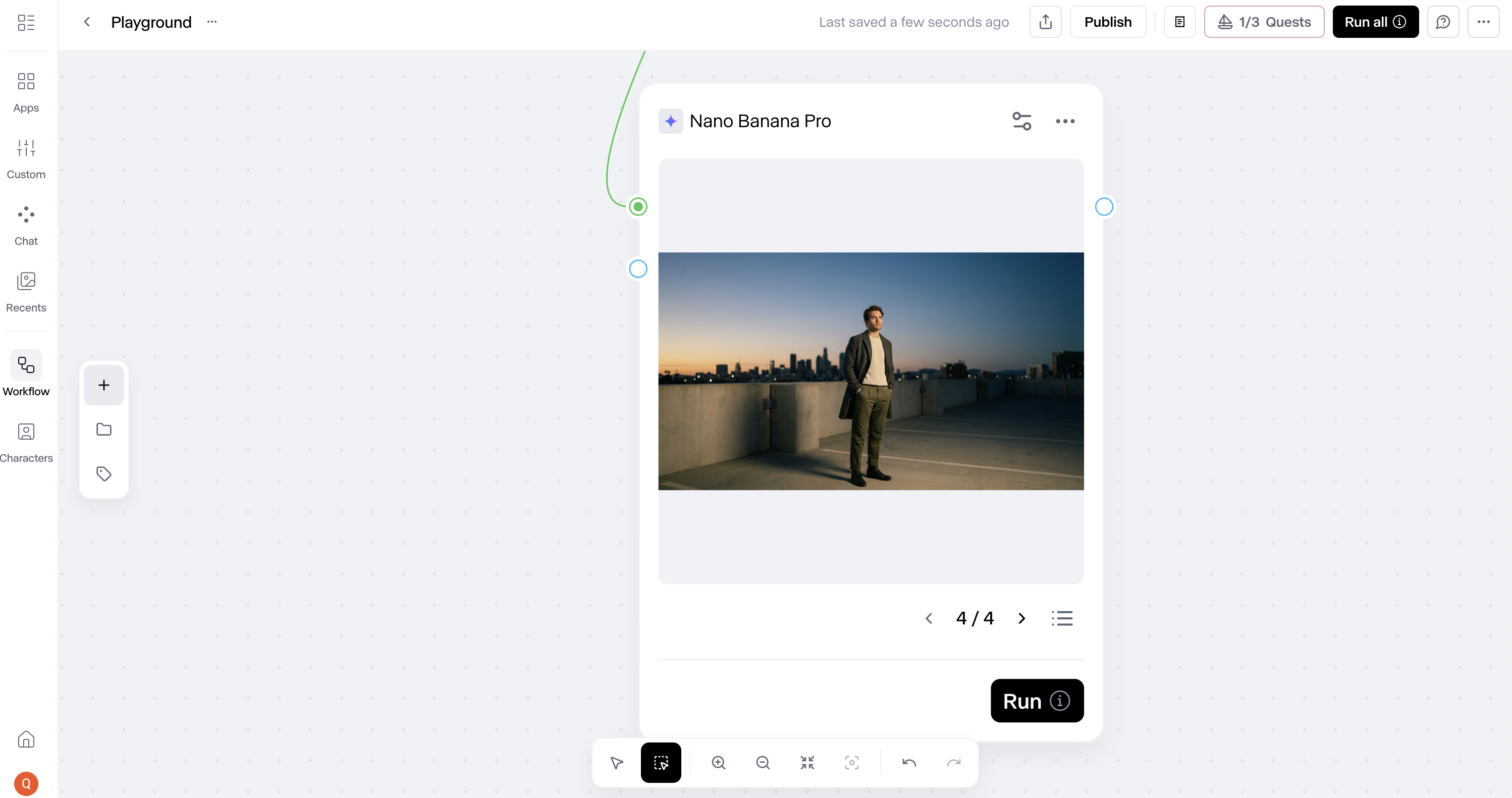
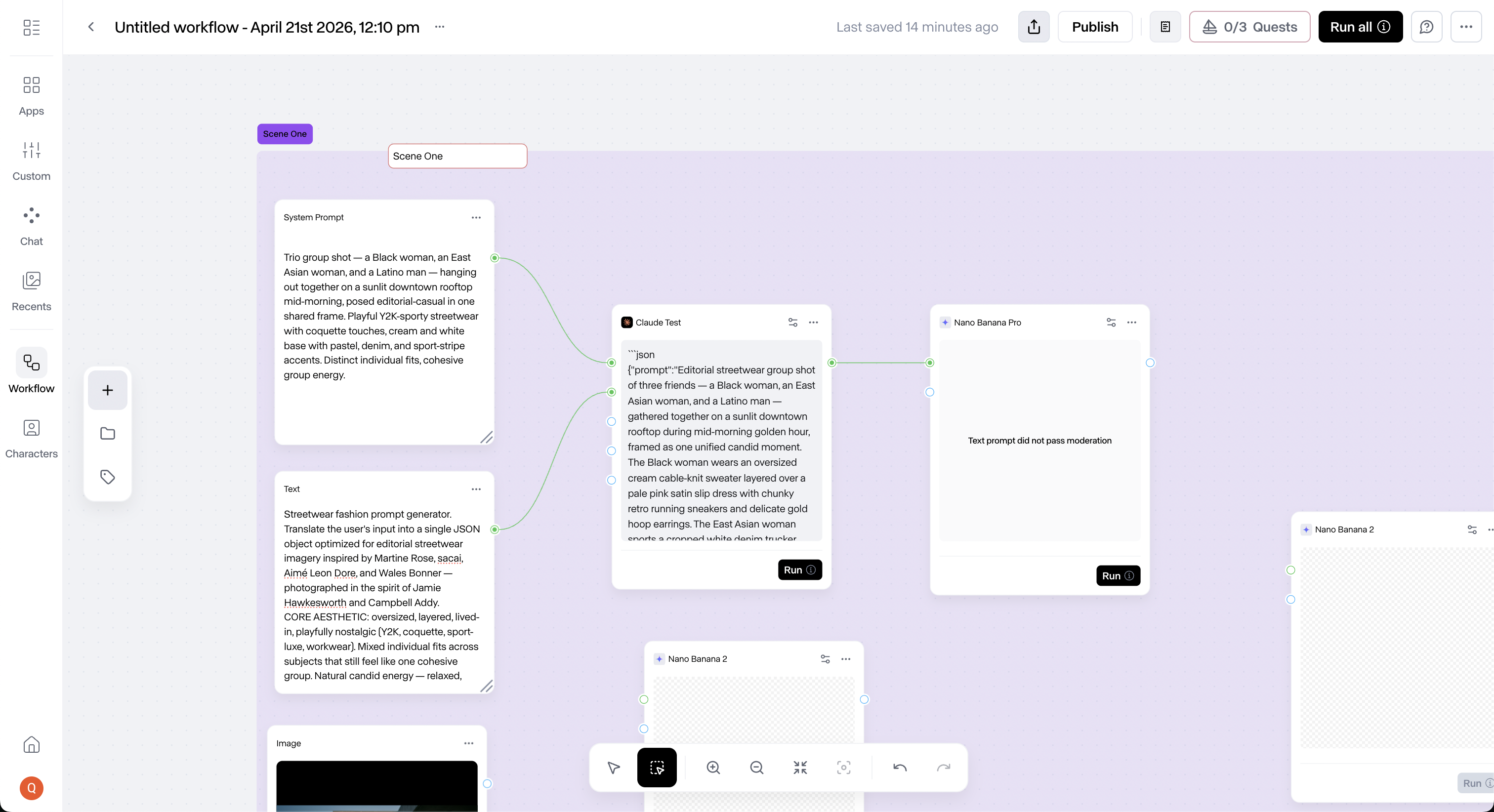
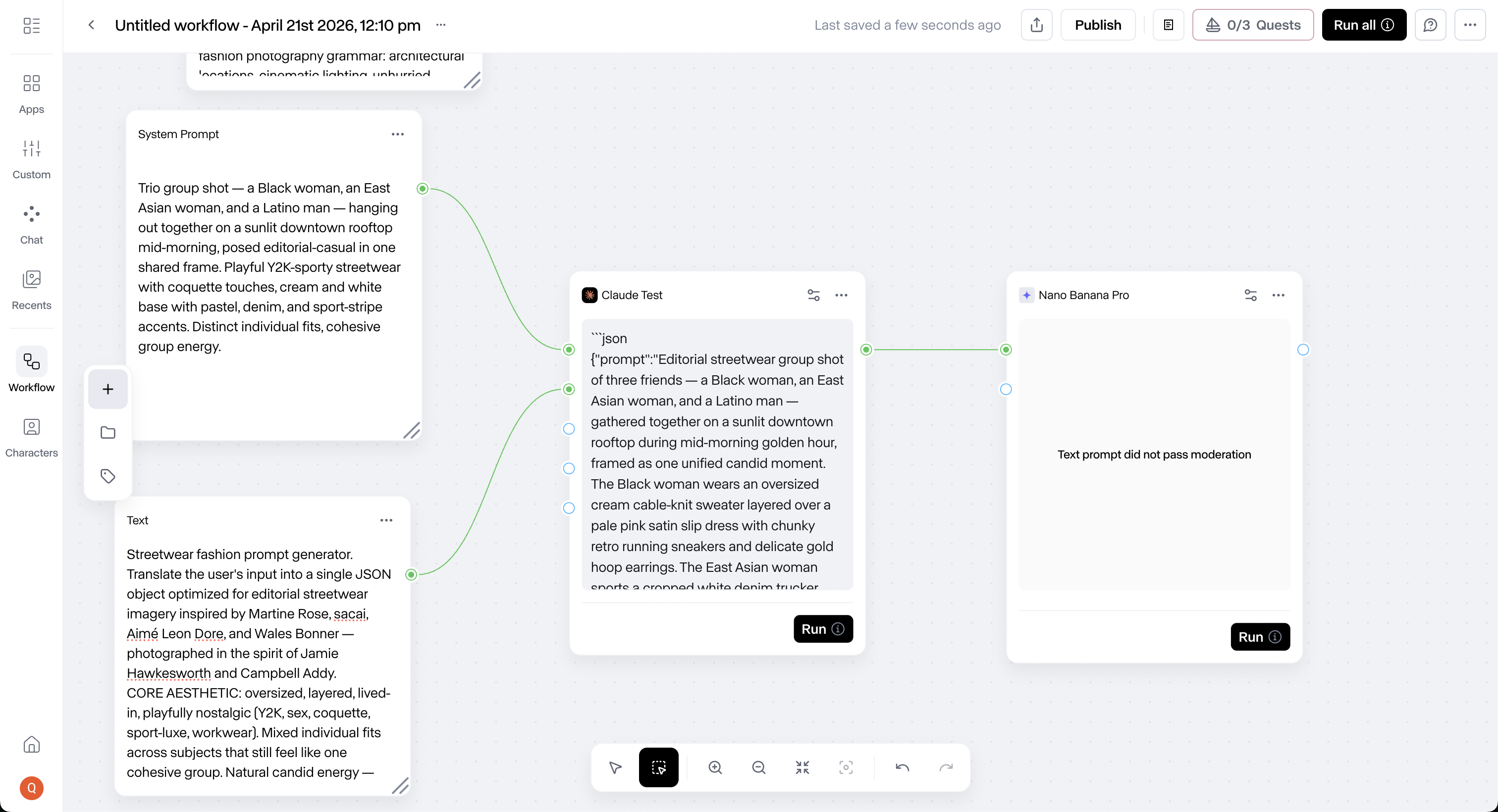
Runway Workflows canvas with a Claude Text node wired to Nano Banana Pro (showing a moderation error) and an open “Choose a node to swap with” modal listing compatible image nodes
1
Credit balance lives here. Needs a label.
2
Swap one node out. Everything else stays wired.
3
Swap modal locks in place. Let users move it, or dock it right at full viewport height.
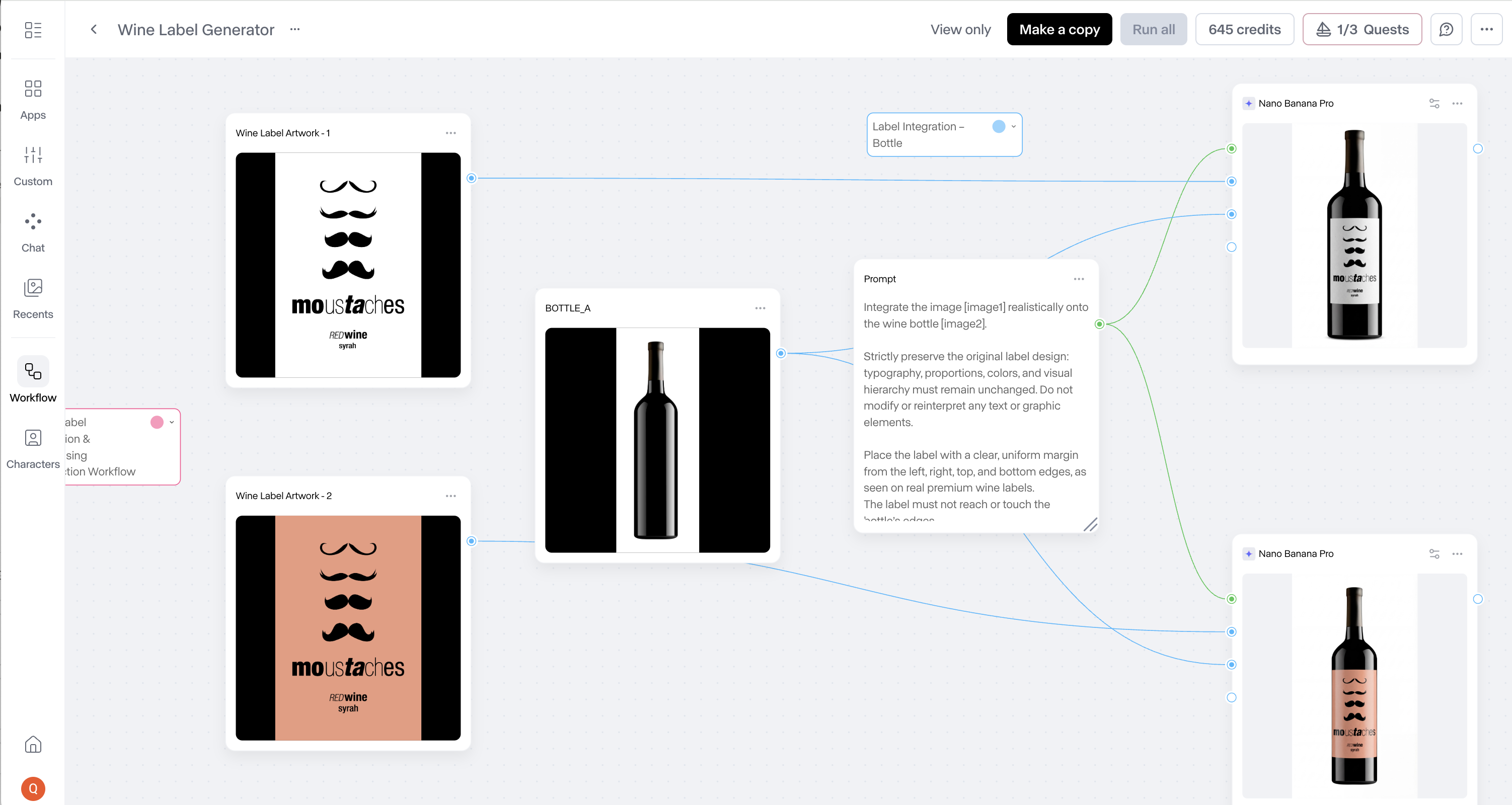
Runway Wine Label Generator pre-built workflow opened, showing the full node graph wired from prompt through image generations to final bottle renders
The pre-built library

Templates made me want to come back.

The workflow library is where I got sold. Pre-built templates dropped me into instant value when the template was readable. That’s the moment I wanted to stop auditing and start building. Templates are gold when they work. A “see the graph” view on each card, or a one-line note on the swap points, would help me bend them to my own use.

The generations archive

My work is still here.

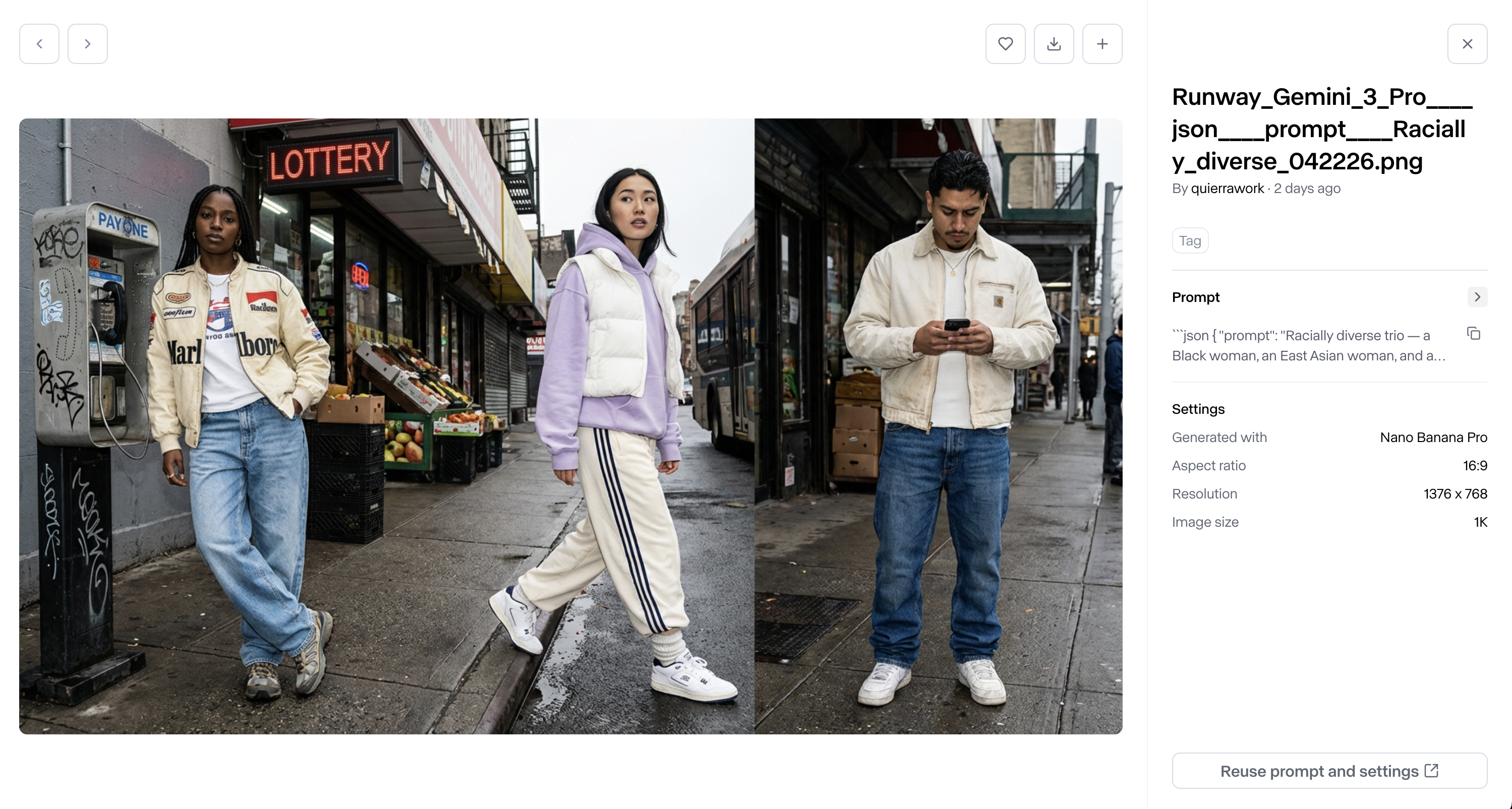
I clicked a folder, landed on my uploads and generations, and the image I was looking for was right there. That moment of “oh wait, it saved” was genuine relief. The filename lives on the sidebar while the arrows sit up top; bringing the filename next to the arrows would match where I’m looking. I’m not sure what those arrows cycle through once I’ve manually added images, either.

Runway asset viewer showing a three-figure urban fashion generation, arrow navigation at the top, and prompt metadata with a “Reuse prompt and settings” action on the right sidebar
1
Arrows up top. Unclear what they cycle through after manual adds.
2
Filename lives on the sidebar. It belongs up top with the arrows.
3
Found my image. Genuine relief.
The node library

Two browsers, one library.

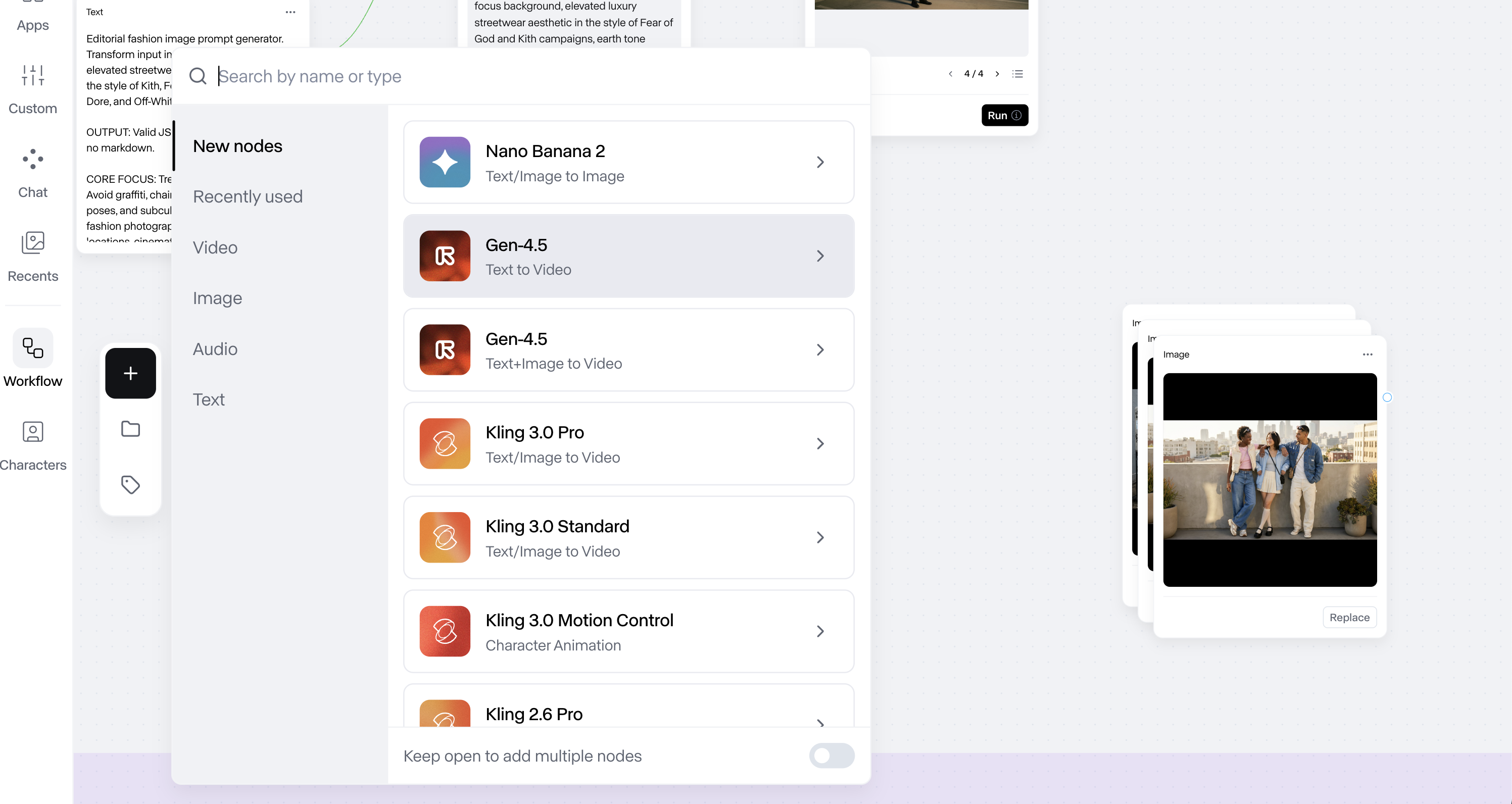
I hit the library two ways. The plus button opened a rich, categorized browser with search, recently used, and filters by type on the left rail. Swap-node gave me a flatter list of compatible candidates: no categories, no type filters. Same library content, two different UIs. Drag to compare.

Two hours in

The friction under the craft.

Notes for the team
  • I came in to audit. I left wanting to build. Here’s what I’d ship first if I were on the team.
  • A first-run walkthrough that names the end-node run pattern, the way connections prefer new nodes, and the distinction between Label (the visual tag) and Group (the structural primitive) would carry most of the friction I hit.
  • The rest is smaller fixes riding in on the same pass.
  • I came in to audit and left wanting to build. That’s the highest compliment I can pay a product.
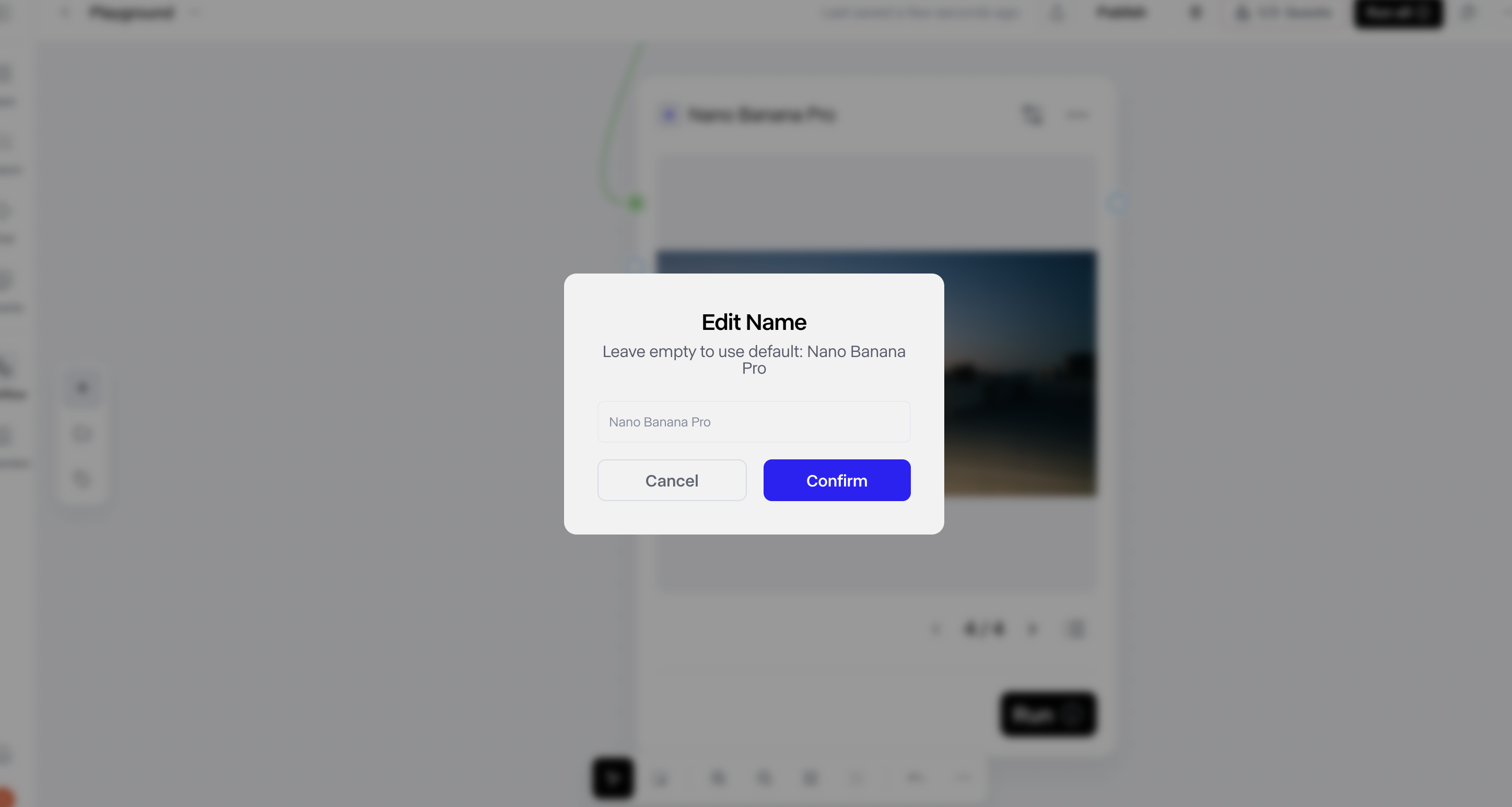
Runway Edit Name modal with a text input and a saturated-blue Confirm button next to a cream Cancel button
The audit

What’s working, what’s not, and what I’d love to help finish.

Runway Workflows audit / 3 min listen

0:00--:--
Runway ∗ Runway ∗ Runway ∗ Runway ∗ Runway ∗ Runway ∗ Runway ∗ Runway ∗ Runway ∗ Runway ∗ Runway ∗ Runway ∗ Runway ∗ Runway ∗ Runway ∗ Runway ∗
What's Working

I keep coming back to what works.

01

The generations archive.

Every generation I ran during the session landed in the archive. I could scroll back to the image I made earlier that I loved. Assets I can come back to.

02

Swap-node as my learning move.

I used swap constantly while I was figuring out what each node did. Pull the failing node. Drop in a different one. Keep the graph.

03

The credit meter, on screen everywhere.

The credit balance stays visible across screens. I could see how much a run would cost before committing, and the total credits I had left. Both numbers are in front of you.

04

A help icon inside the canvas.

A question icon that opens a chat with the Runway team, inside the product. A builder who hits a wall has an in-product door to ask a human.

05

The ambition itself.

Throwing together AI-generated full scenes. Almost movies. That’s a different ceiling than a one-clip generator, and the canvas commits to it.

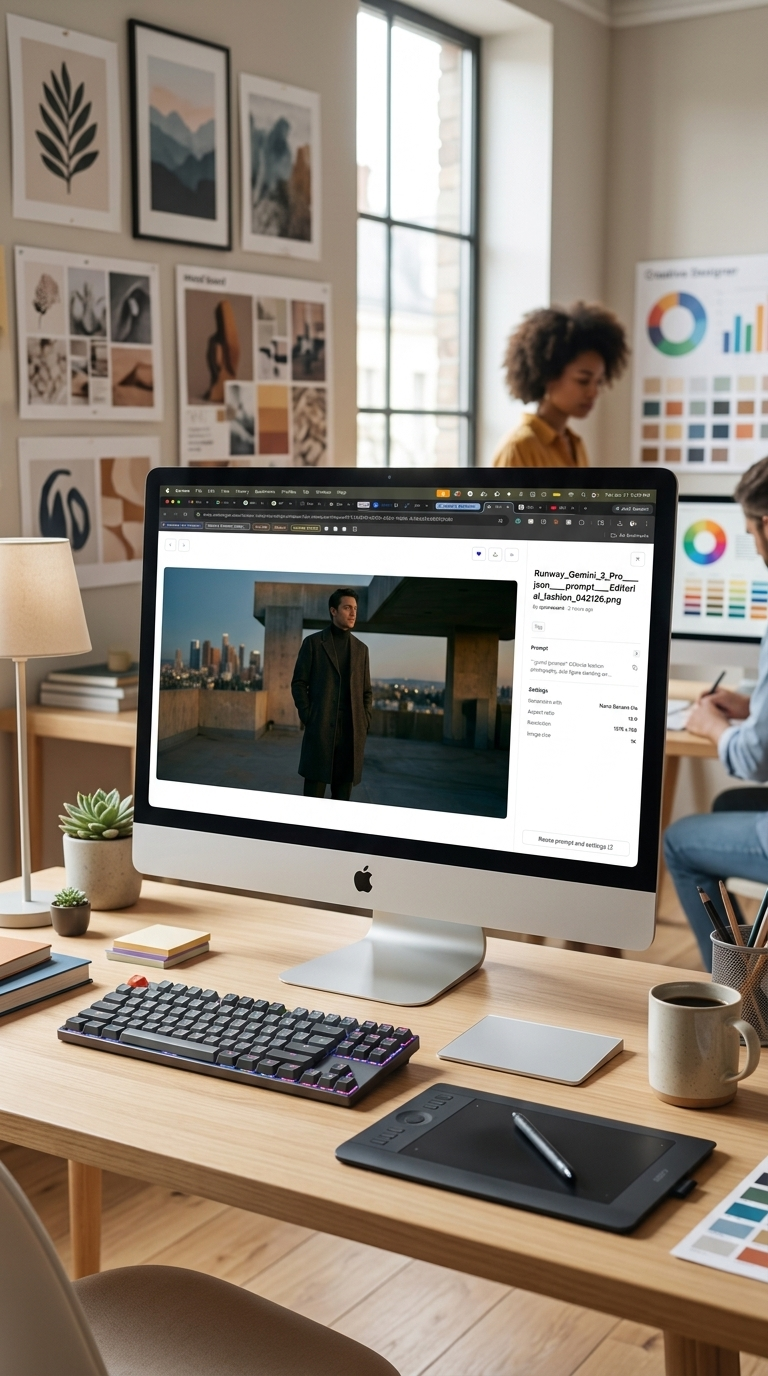
A designer’s workstation with the Runway app open on an iMac, surrounded by a creative mood board of art prints and color swatches.
[04]Opportunities

The parts I loved. The friction I hit. The list I’d ship.

05 Areas
01 / Opportunity

Moderation wall, repair path

When a prompt fails moderation, the error reads at the same visual weight as any other node state. There’s no language about what tripped the policy, and no indication whether credits were spent. Add a short specific message (“this prompt triggered X policy; try replacing Y”) and a credit status line (“no credits charged”). The wall becomes a door. The severity holds.

02 / Opportunity

Node title hierarchy, with a palette check while you’re there

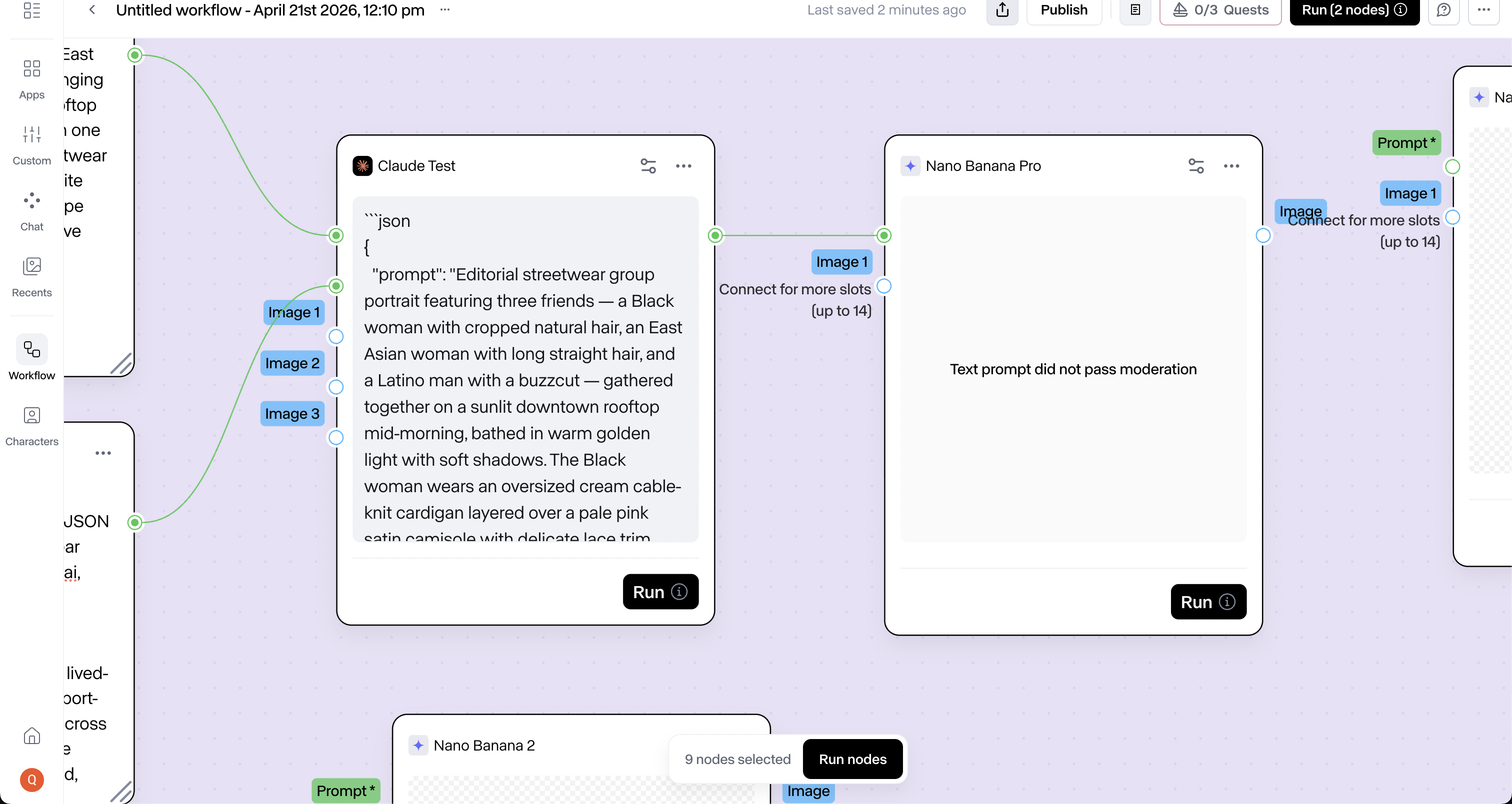
Node titles read smaller than the “Image 1” input label below them. The run-button icon sits visually heavier than the title right next to it. Bump the title one type step up. Drop the run icon to about eighty percent. The palette check rides in on the same pass: the group-name text runs black on a dark-purple background on my canvas, and the contrast is off enough to notice.

03 / Opportunity

One library, one browser

The plus-icon browser and the swap-node browser look like two products for the same library. Unify the pattern: category icons (video, image, audio, text), a visible filter, a synonym map on search so “photo creator” returns image nodes. The library gets one front door. Everything inside it stays in place.

04 / Opportunity

Run one chain, not the whole canvas

Run All is the right button for executing everything. The failure mode is real: I forgot I had some nodes placed up above, and Run All ran them too. A “run this chain” affordance on the final node of any connected sequence, firing upstream on click, would cover the single-chain case. Two doors. Run All stays where it is.

05 / Opportunity

A first-run pass for the canvas

You definitely gotta be into this to even want to learn it. A first-run walkthrough would take that burden off a new builder. Name the end-node run pattern. Name the way connections prefer new nodes. Name the distinction between Label (the visual tag) and Group (the structural primitive). The canvas stays freeform. The on-ramp gets named.

LOOK AT WHAT

YOU’RE BUILDING.

Runway is building something ambitious. A canvas for chaining models into creative pipelines. A library of templates showing what those pipelines can do. An archive that turns every run into an asset. A credit meter that keeps the cost honest. A help icon inside the product. The parts are there. What I’d add is a quiet comprehension layer underneath it. A first-run walkthrough that names the end-node run pattern, the way connections prefer new nodes, and the difference between Label and Group. One node browser instead of two. A moderation state that says what went wrong and whether credits were spent. A node title that reads louder than its input label. Helper text on model nodes that builders may not recognize on sight. A new builder gets somewhere to land. Every canvas move already there stays. After 14 years across brand systems, product design, and creative technology, that comprehension layer under an ambitious product is exactly the work I love — if you’re building something worth finishing, that’s my favorite kind of project.

Quierra Wells

Quierra Wells

Design Director & Creative Technologist

View full profile
An outsider’s read

Let's talk.

Quierra Wells. Happy to talk shop.